
Before you start, you need:
- The key we sent you
- A free Microsoft account (create one at account.microsoft.com)
Steps
- 1
Go to setup.office.com and click Sign in with your Microsoft account.
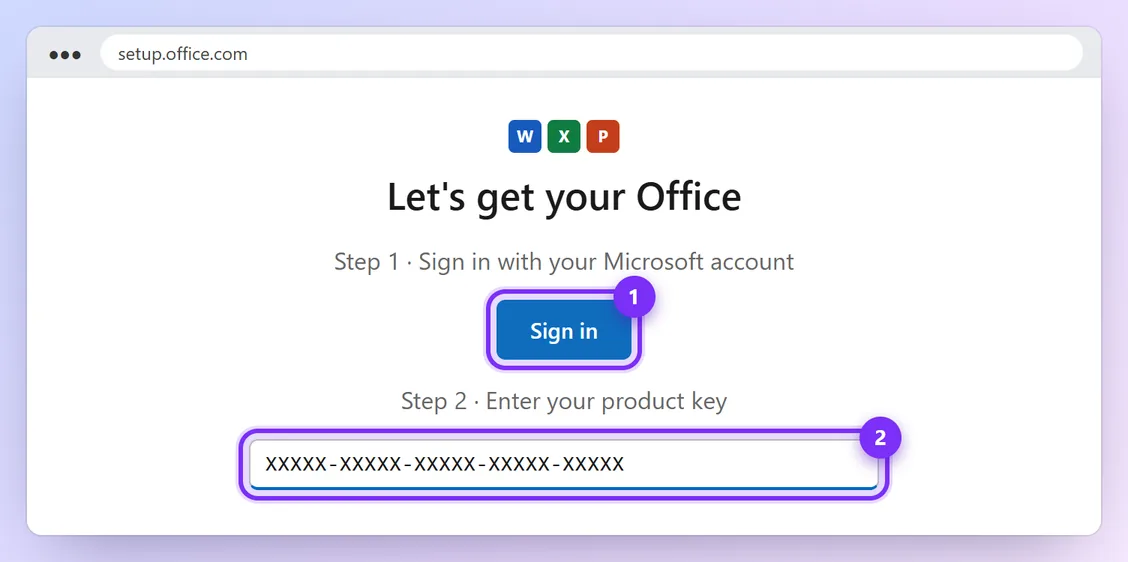
Illustration · numbers show what to click, in order · tap to enlarge - 2
Type the key we sent you, choose your country and language, and click Next. Office is now linked to your Microsoft account.
- 3
Open your Microsoft account's Services & subscriptions page and click Install next to Office. Open the downloaded file on your Mac and follow the steps.
- 4
Open Word and sign in with the same Microsoft account. Office activates automatically.
You're done when:
Open Word → Word menu → About Word. It shows Office Home & Business 2019 with no activation message.
Problems and quick fixes
- “This key has already been used”
- You may already have redeemed it to your account: check Services & subscriptions. Otherwise send us a screenshot.
- My Mac is too old
- Office 2019 needs a recent macOS version. Send us your macOS version (Apple menu → About This Mac) before ordering.
Official help: setup.office.com (Microsoft)