100% GenuineInstant DeliveryWarranty on Every Order5,000+ Customers100% GenuineInstant DeliveryWarranty on Every Order5,000+ Customers100% GenuineInstant DeliveryWarranty on Every Order5,000+ Customers

How to activate Adobe Creative Cloud

For: Adobe Creative Cloud All Apps

5 minutes (plus app downloads)Pictures of each screen
Before you start, you need:
  • An Adobe account in your own email (free at adobe.com)
  • Order placed with that same email

Steps

  1. 1

    We add the plan to your Adobe account and tell you on WhatsApp. If Adobe emails you an invitation, open it and click Accept (check spam too).

  2. 2

    Download the Creative Cloud app from our Downloads page (official Adobe link) and sign in with the same email.

  3. 3

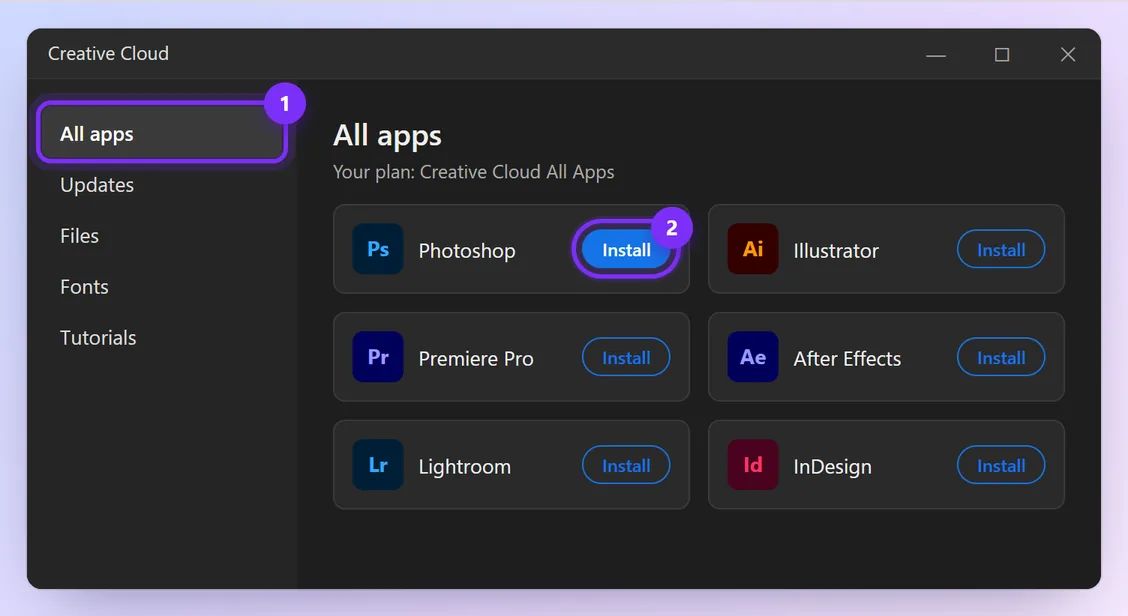
    In the app, click All apps, then Install next to Photoshop, Illustrator, Premiere Pro or any other app.

    Creative Cloud app with All apps and an Install button highlighted
    Illustration · numbers show what to click, in order · tap to enlarge
You're done when:

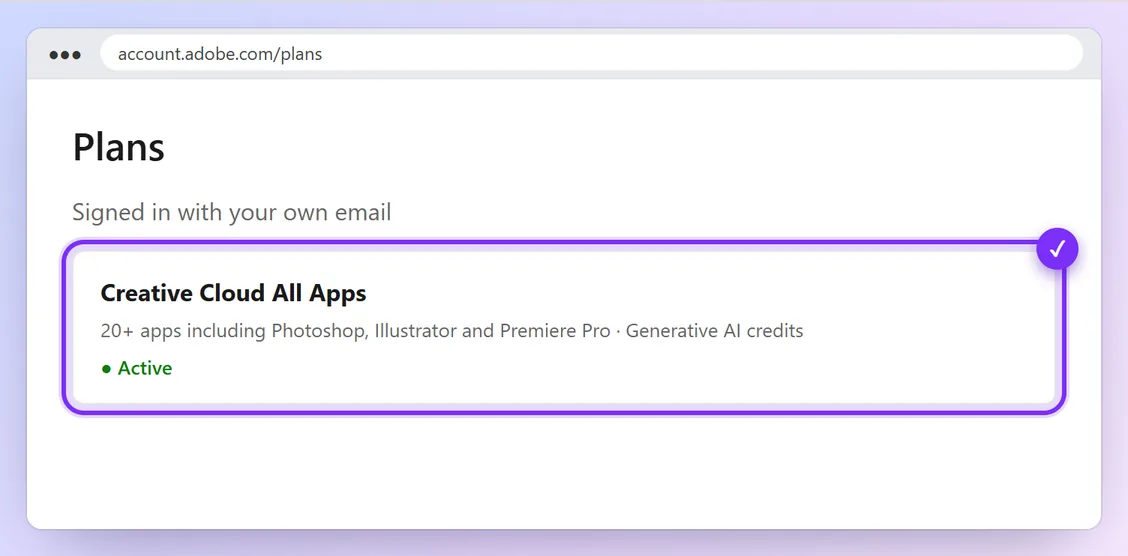
Your plan shows as Creative Cloud All Apps · Active on your Adobe account's Plans page (account.adobe.com/plans).

Adobe account Plans page showing the active plan
Illustration · numbers show what to click, in order · tap to enlarge

Problems and quick fixes

Apps still say “Start trial” or “Buy”
Sign out of the Creative Cloud app and sign back in, so it picks up your new plan.
I didn't get the Adobe email
Check spam and promotions, and make sure you gave us the right email. Message us and we'll resend.

Official help: Your Adobe plans · Download the Creative Cloud app (Adobe)

Haven't bought it yet?

PsAiPr Best seller
Subscription · monthly / 3-month / yearly

Adobe Creative Cloud

All 20+ Adobe apps with Firefly AI, activated on your own email.

FromRs. 11,000Rs. 3,000/mo Order

Other guides

Order on WhatsApp