
Before you start, you need:
- The account email and password we sent you
Your Microsoft 365 is a ready account: we send you its email and password. You just sign in.
Steps
- 1
Go to microsoft365.com and sign in with the email and password we sent you. Then click Install apps.
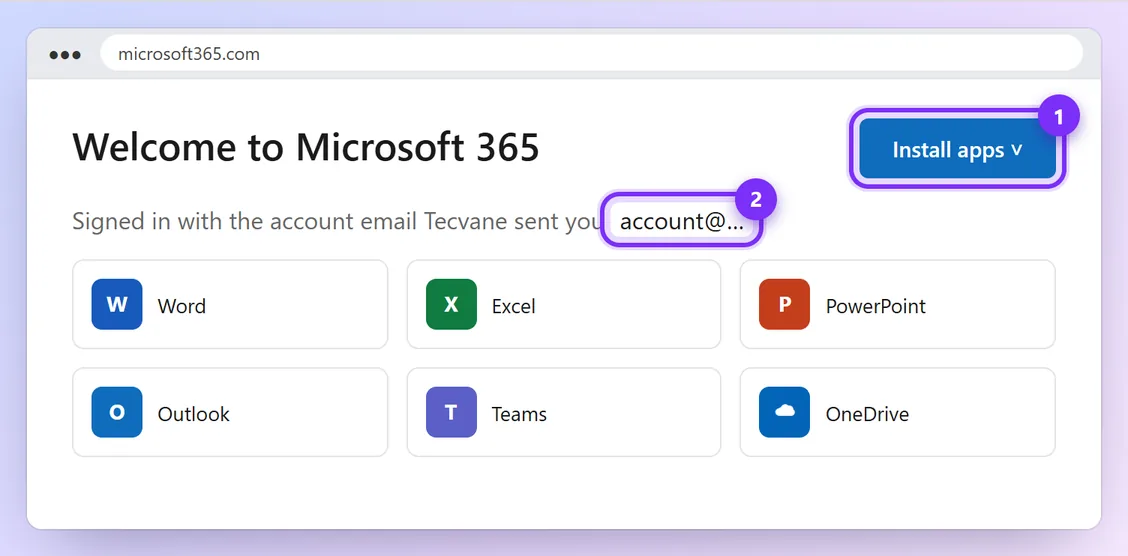
Illustration · numbers show what to click, in order · tap to enlarge - 2
Open the downloaded file and wait while Word, Excel, PowerPoint and Outlook install.
- 3
Open Word and sign in with the same account if asked.
- 4
On your phone: install Word, Excel or the Microsoft 365 app from the App Store / Play Store and sign in with the same account.
Keep the login safe and don't share it. Message us before changing the password or security settings.
You're done when:
In Word, go to File → Account. Under Product Information it shows Microsoft 365 and the account you signed in with.
Problems and quick fixes
- “Your account has been locked” or asks for a code
- Don't keep trying. Message us on WhatsApp straight away and we'll sort it out.
- I already have Office installed
- Uninstall the old Office first, then install from microsoft365.com.
Official help: microsoft365.com (Microsoft)